Getting Started
Installation & Setup
Prerequisites
Before installing, confirm:
- You are a Confluence Cloud space admin or site administrator (required to install Marketplace apps)
- Your instance is Confluence Cloud - this app does not support Confluence Server or Data Center
- You have access to the Atlassian Marketplace from within Confluence
Installation Steps
| Step | Action |
|---|---|
| 1 | Go to marketplace.atlassian.com and search for "UML Diagrams Math LaTeX" |
| 2 | On the app listing, confirm Hosting → Cloud is supported |
| 3 | Click Try it free (30-day trial) or Buy now |
| 4 | Select your Atlassian Cloud site when prompted and choose Confluence |
| 5 | Review the permissions the app requires and click Accept to proceed |
| 6 | The app installs automatically - no restart required |
Verify Installation
After installation, open any Confluence page in edit mode:
- Click inside the page body and type
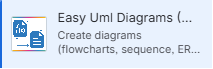
/ - In the macro search, type Diagrams - you should see UML Diagrams
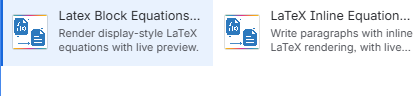
- Search LaTeX Block - you should see LaTeX Block Equations
- Search LaTeX Inline - you should see LaTeX Inline Equations
If all three macros appear, installation is complete and working.
Permissions Requested During Install
| Permission | Why It's Needed |
|---|---|
| Read Confluence pages and spaces | Render macros when pages are viewed |
| Store macro body content | Persist your Mermaid/LaTeX source between edits |
| Read user information | Associate macros with page authors |
| Access Confluence storage format | Read and write macro markup within page content |
First Steps After Install
Once installed, share the following with your team:
- Point editors to the Quick Start Guide for first-use instructions
- Confirm page editors can see the macros via the
/menu - Insert a test diagram or equation to confirm rendering works end-to-end
Uninstalling
To uninstall: Go to admin.atlassian.com → Apps → Manage Apps → click the app name → Uninstall. Macro content already saved on pages will no longer render after uninstallation.