Dynamic Filter Controller
Overview
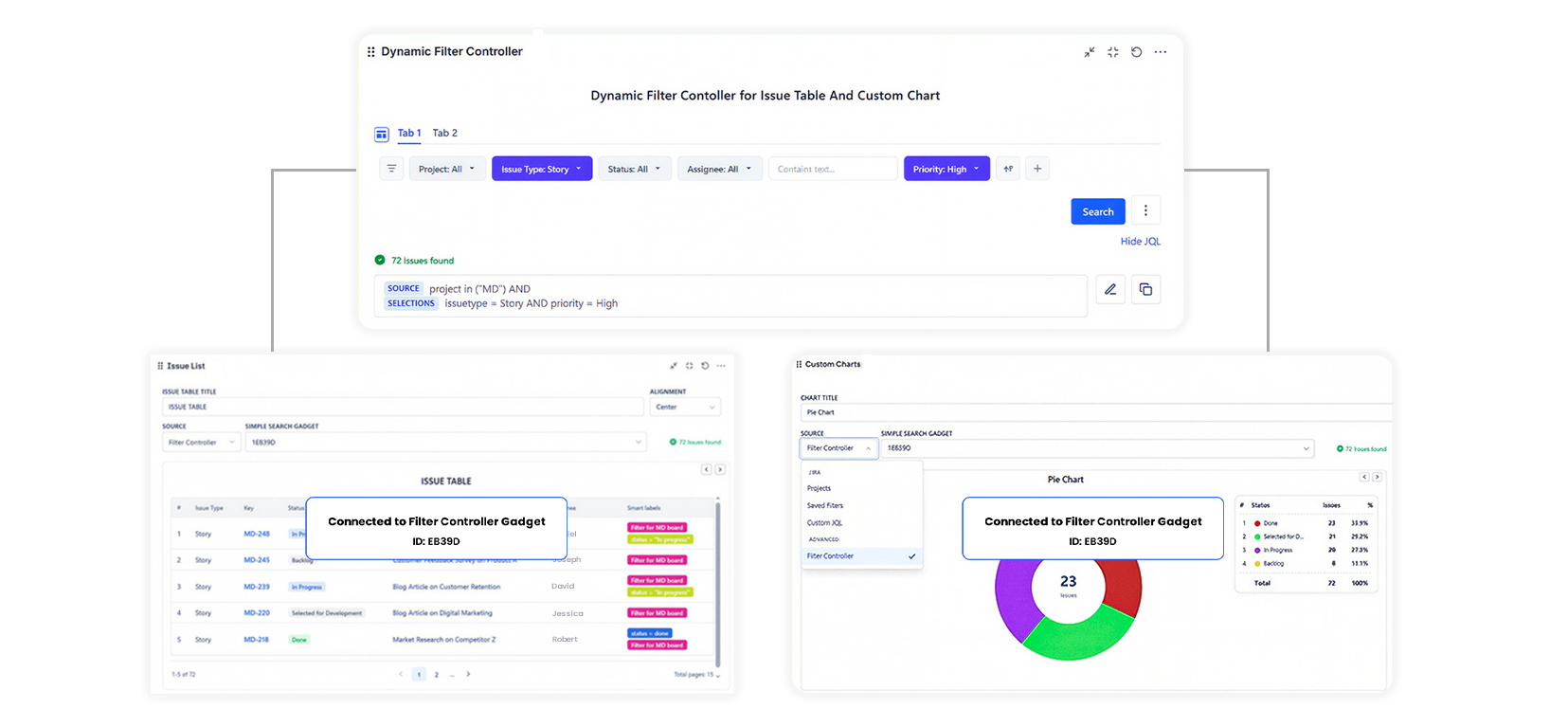
The Dynamic Filter Controller (DFC) is a special gadget that adds a shared, interactive filter bar to your Jira dashboard. Instead of configuring each chart separately, you connect multiple gadgets to one controller - and users filter everything at once.
What it does
The DFC sits at the top of a dashboard (or anywhere on the page). It shows filter fields - dropdowns, text boxes, date pickers, or toggle buttons - that users interact with. Every connected gadget responds instantly when a filter changes.
Why use it
Without a DFC, each chart is static: its data source is fixed and only an editor can change it. With a DFC, viewers can slice the same dashboard by sprint, assignee, priority, or any other field - without touching gadget configuration.
Typical flow:
- A manager opens the dashboard
- They pick "Sprint 42" from the Sprint dropdown
- All charts and tables on the page update to show only Sprint 42 work
Core concepts
| Concept | What it means |
|---|---|
| Base data source | The issue universe the controller works with (Projects, Saved Filter, or Custom JQL) |
| Filter fields | The inputs users see: dropdowns, text, JQL, saved filter toggles |
| Tabs | Preset filter combinations the controller saves for one-click switching |
| Reference ID | The unique ID of this controller - other gadgets use it to connect |
| Connected gadgets | Custom Charts and Issue Lists that are linked to this controller |
When to use DFC vs a regular data source
| Scenario | Use |
|---|---|
| Dashboard is for one fixed project and one audience | Regular data source per gadget |
| Multiple people view the same dashboard but need to filter differently | DFC |
| Dashboard shows multiple team views that switch between sprints | DFC with tabs |
| You want viewers (not editors) to control the scope | DFC |