Rich Content Formatting
Markdown Renderer Macro
Markdown Renderer Macro
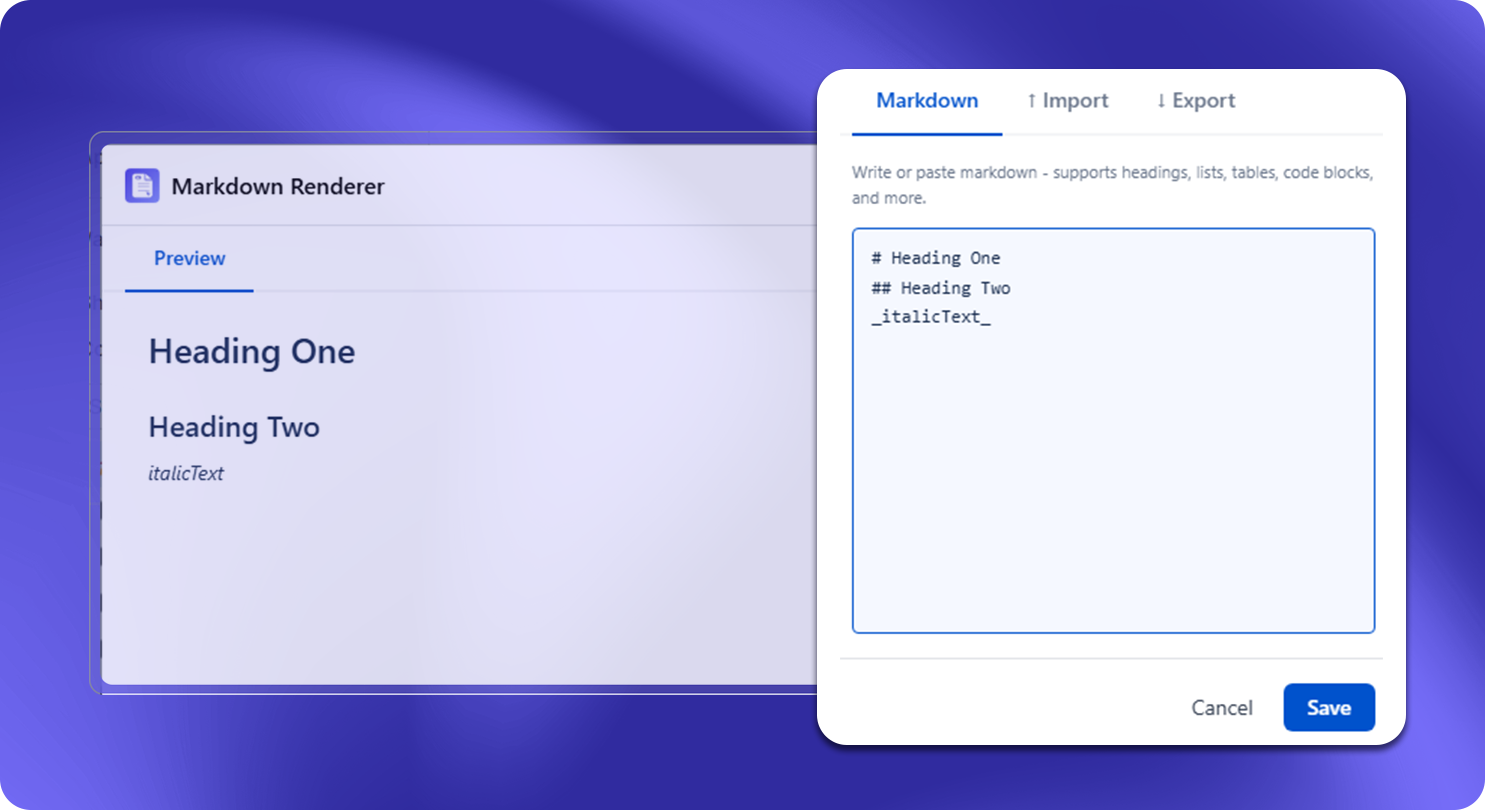
What It Does
The Markdown Renderer macro takes raw Markdown text and renders it as formatted Confluence content. Paste any standard Markdown - headings, lists, bold/italic, code blocks, tables, links - and it displays as styled, readable output without converting it to Confluence storage format.
How to Use
- Insert the Markdown Renderer macro
- Paste your Markdown source text into the macro body
- The macro renders a preview in edit mode
- Publish the page - readers see the formatted output, not the raw Markdown
Supported Markdown Syntax
| Element | Markdown | Rendered As |
|---|---|---|
| Headings | # H1, ## H2, ### H3 | Styled headings |
| Bold | **text** | Bold text |
| Italic | *text* | Italic text |
| Code (inline) | \code`` | Monospace inline |
| Code block | \``language```` | Syntax-highlighted code block |
| Table | ` | col |
| Ordered list | 1. item | Numbered list |
| Unordered list | - item | Bulleted list |
| Link | [label](url) | Hyperlink |
| Blockquote | > text | Indented quote block |
| Horizontal rule | --- | Divider line |
Common Use Cases
- Docs-as-code migration: Paste README.md or other Markdown files directly into Confluence without reformatting
- Developer documentation: Engineers who write in Markdown can contribute Confluence pages without learning the Confluence editor
- Cross-platform content: Maintain content in Markdown in a Git repo and mirror it to Confluence by pasting into this macro
- API reference: Paste OpenAPI or README-style Markdown descriptions into Confluence pages alongside other content
Limitations
- Markdown is stored verbatim inside the macro - Confluence search indexes the rendered text, not the raw Markdown source
- Custom Markdown extensions (GitHub Flavored Markdown task lists, footnotes, definition lists) may not render - standard CommonMark syntax is most reliable
- Images referenced via relative paths in the Markdown will not render; use absolute URLs