Rich Content Formatting
Status Macro
Status Macro
What It Does
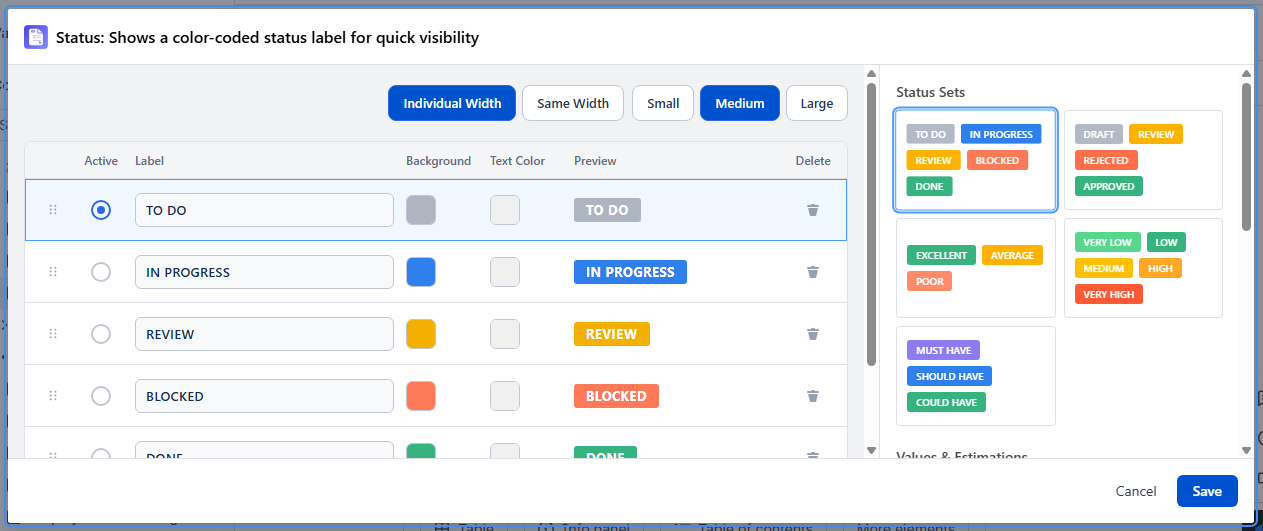
The Status macro creates color-coded status badges from 13 preset sets covering workflows, estimations, and other classifications. Select a preset set to display a badge group on your page.
13 Preset Status Sets
Status Sets
| Set | Values |
|---|---|
| Workflow | TO DO, IN PROGRESS, REVIEW, BLOCKED, DONE |
| Approval | DRAFT, REVIEW, REJECTED, APPROVED |
| Quality | EXCELLENT, AVERAGE, POOR |
| Priority | VERY LOW, LOW, MEDIUM, HIGH, VERY HIGH |
| MoSCoW | MUST HAVE, SHOULD HAVE, COULD HAVE |
Values & Estimations
| Set | Values |
|---|---|
| Linear scale | ?, 1, 2, 3, 4, 5, 6, 7, 8, 9, 10 |
| Fibonacci | ?, 1, 2, 3, 5, 8, 13, 20, 40, 100 |
| T-shirt sizes | ?, XS, S, M, L, XL |
| Completion | 0%, 25%, 50%, 75%, 100% |
Miscellaneous
| Set | Values |
|---|---|
| Tier | PLATINUM, GOLD, SILVER, BRONZE |
| Rarity | Common, Magical, Set, Rare, Legendary, Mythic |
| Star rating | ★, ★★, ★★★, ★★★★, ★★★★★ |
| Color dots | green, yellow, orange, gray |
Configuration
Select a preset set from the visual card picker in the settings panel. Each card previews the status badges in that set. The selected set is then displayed on the page.
Use Cases
- Project status table with a workflow status badge per row
- Backlog items with story point estimates (Fibonacci)
- Risk register with a priority badge per item
- Release notes with completion percentage badges